Everything Spark does for you
From your personalized dashboard to course analytics and the full resource library — here's what's waiting when you log in.
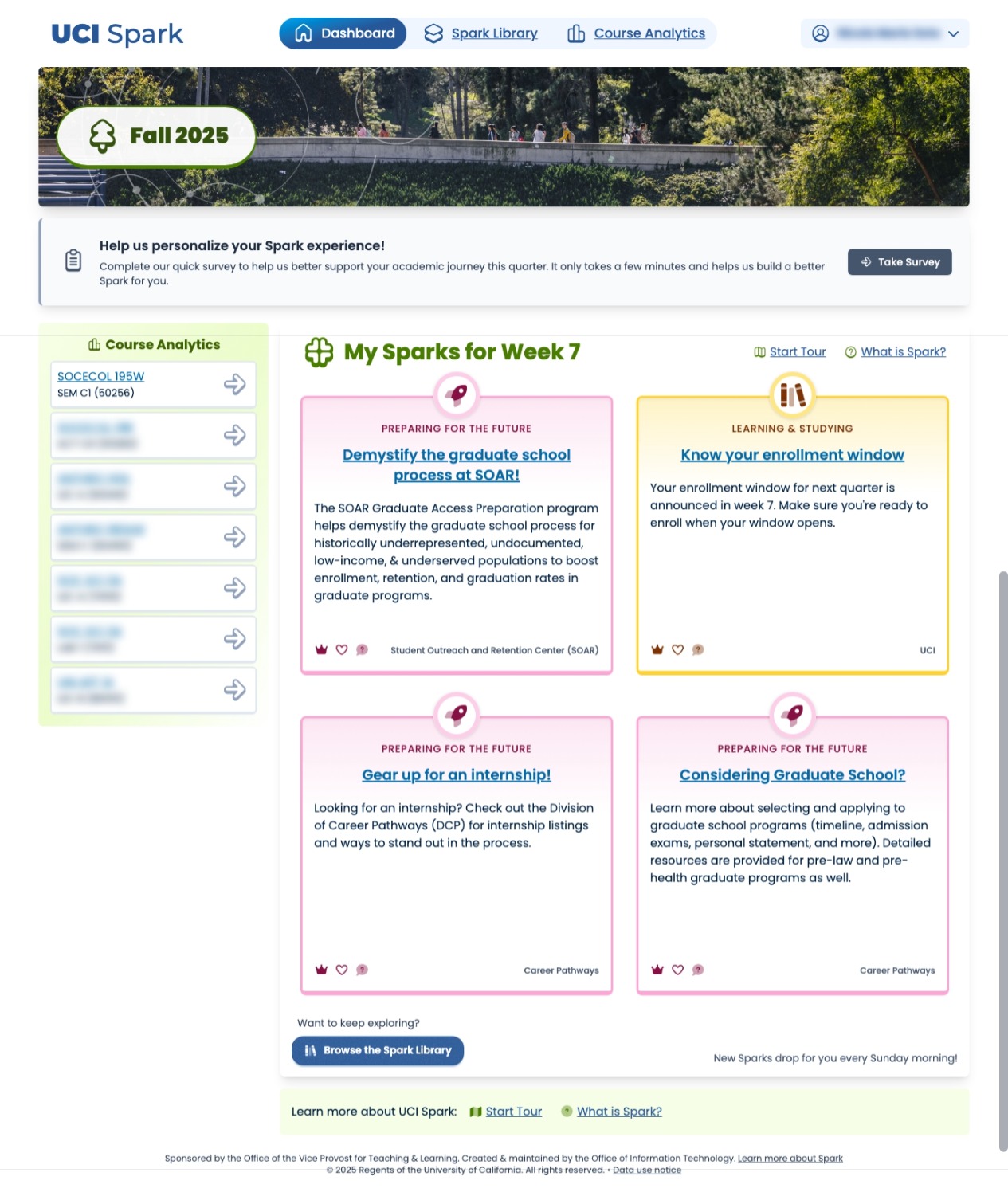
The right support, right when you need it.
Updated weekly, the personalized dashboard provides students with data-driven recommendations tailored to their unique needs. It highlights relevant campus support services and opportunities, helping students stay informed and engaged.
Up to 4 resources are displayed on the dashboard, along with quick links to view course-specific analytics and access the full resource library. A tour feature is available to guide new users through the dashboard's functionalities.
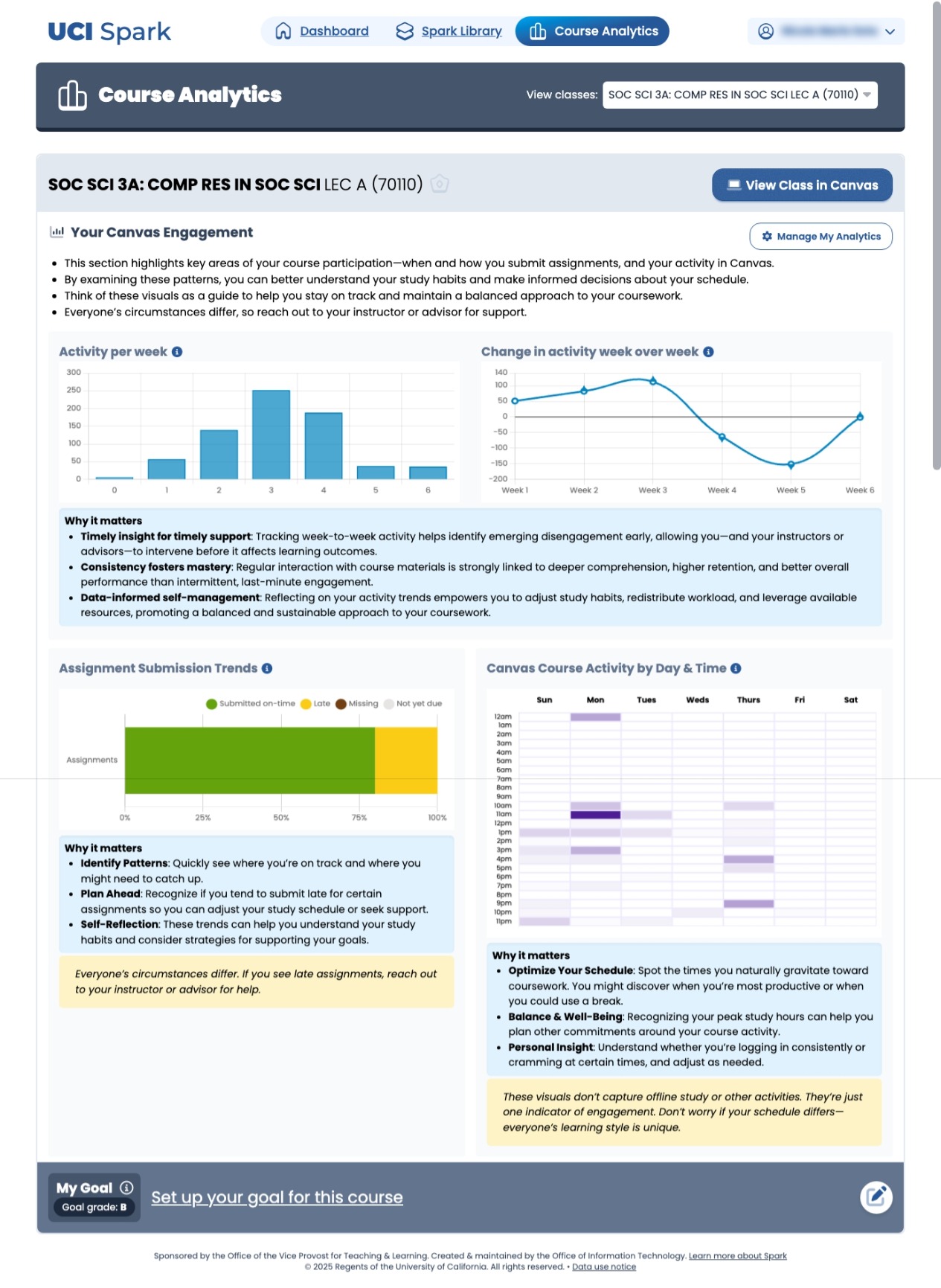
Understand how you engage with your courses.
Students can get insights about their learning activities via purpose-built charts that can help them make decisions about how best to utilize their time.
Activity heatmaps compare engagement patterns against outcomes, giving students actionable signal — not just raw data.
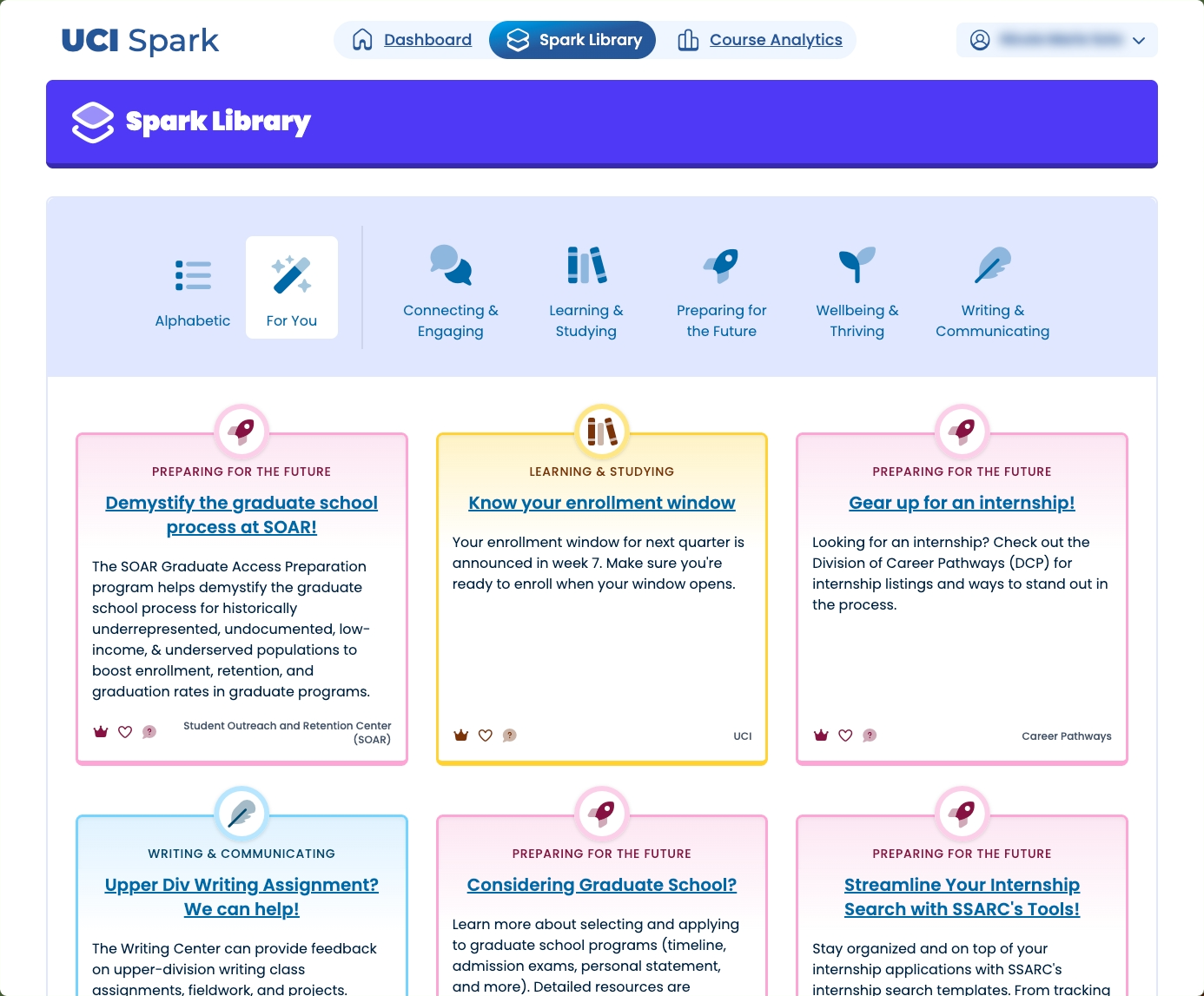
All of UCI's resources, organized for you.
The Spark Library brings together categorized resources from all across campus — UCI Libraries, Student Affairs, and academic units — for everyone to browse. Filter by category: writing, studying, wellbeing, future planning, and more.
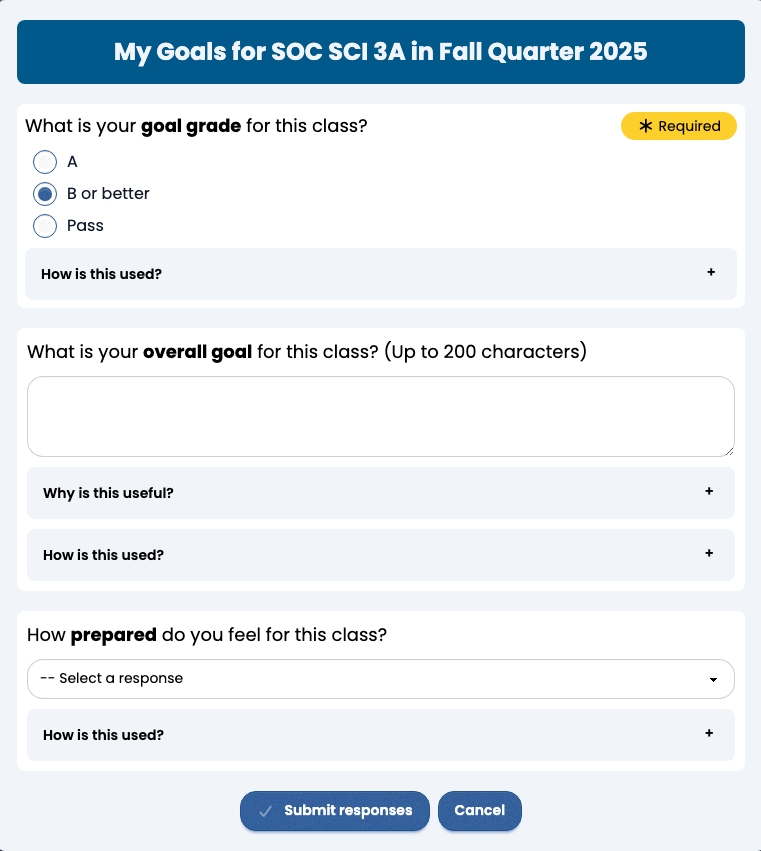
Set goals that shape your dashboard.
Students can set personal academic goals that influence which resources Spark recommends. Sharing your priorities with Spark helps it surface more relevant opportunities every week.
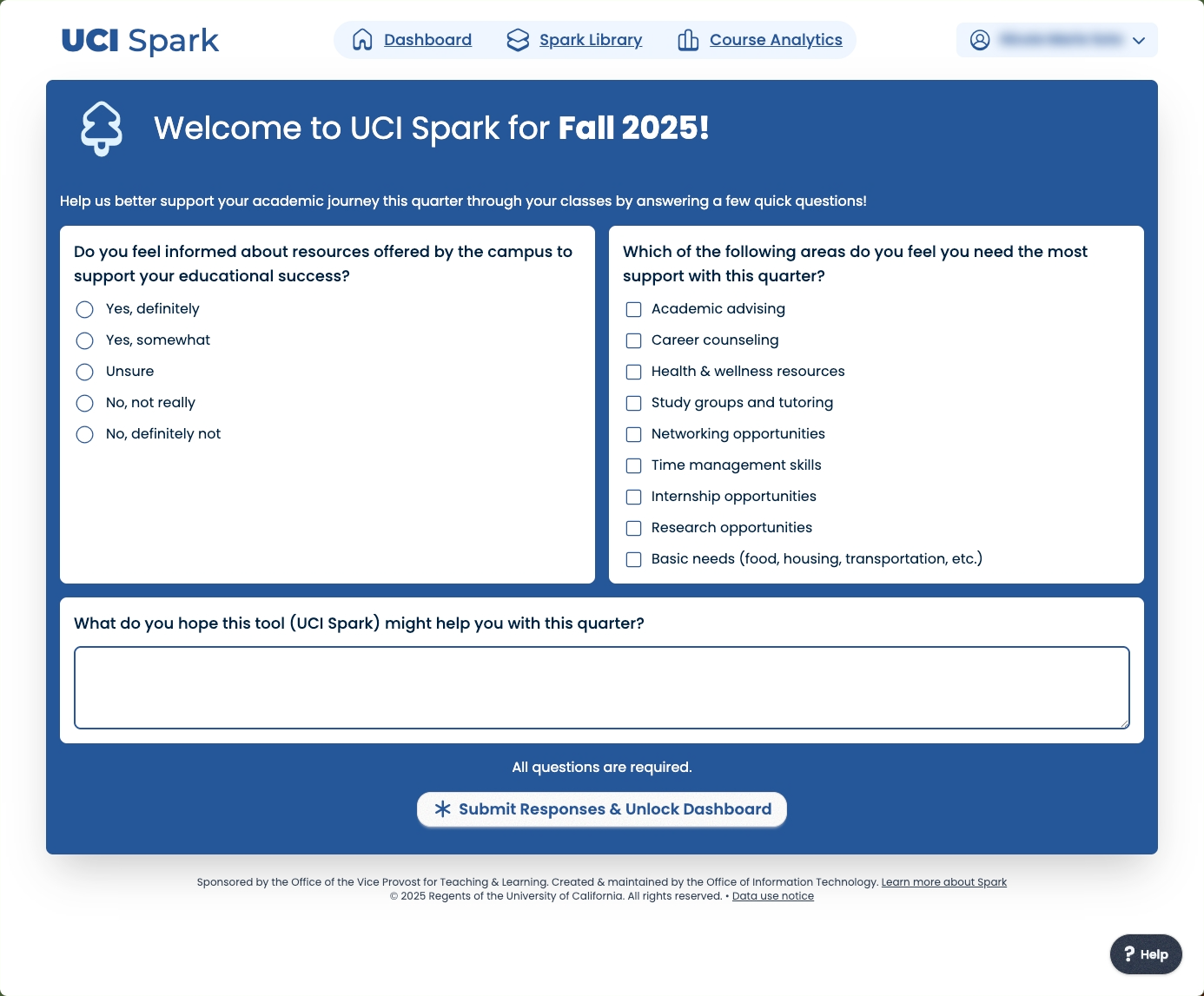
Check in at the start of every quarter.
Each quarter, Spark invites students to complete a brief check-in that captures their current priorities and circumstances. Responses help the matching engine recommend more relevant resources for that quarter.
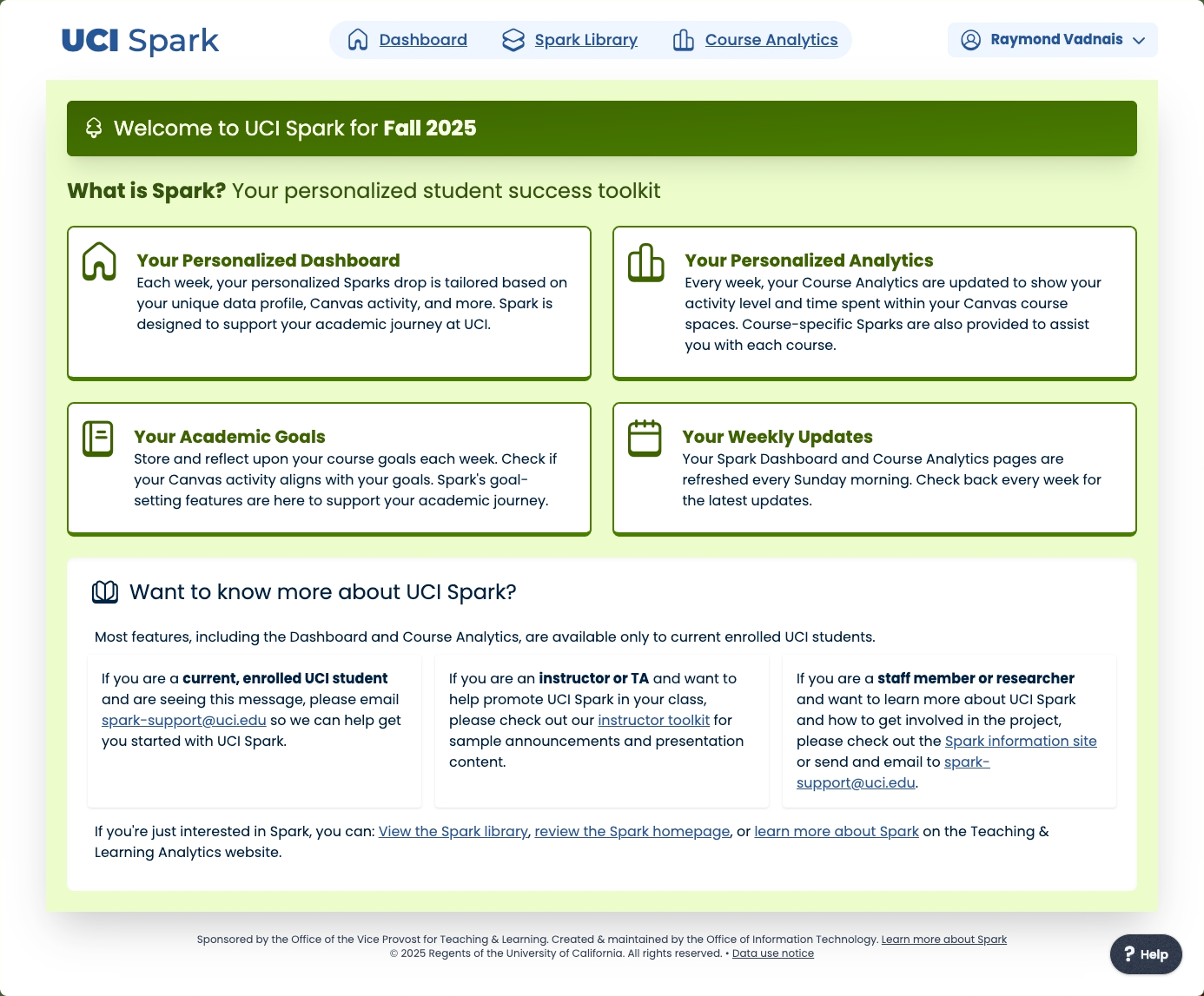
Not just for enrolled students.
Faculty and staff can sign in to explore resources too. And for students between terms — during summer, leave, or non-traditional enrollment — Spark stays connected year-round.
See it with your own data.
Log in with your UCInetID and watch your first sparks appear.